


Online courses have a unique trust problem: you are selling knowledge, and the buyer cannot assess its quality until after they have paid. They cannot flip through the pages like a book in a shop. They cannot try a free sample that meaningfully represents the full experience. They have to trust that the course will deliver what it promises.
This guide covers which social proof elements work for course creators, where to place them on your sales page, and how to build credibility from your very first students.
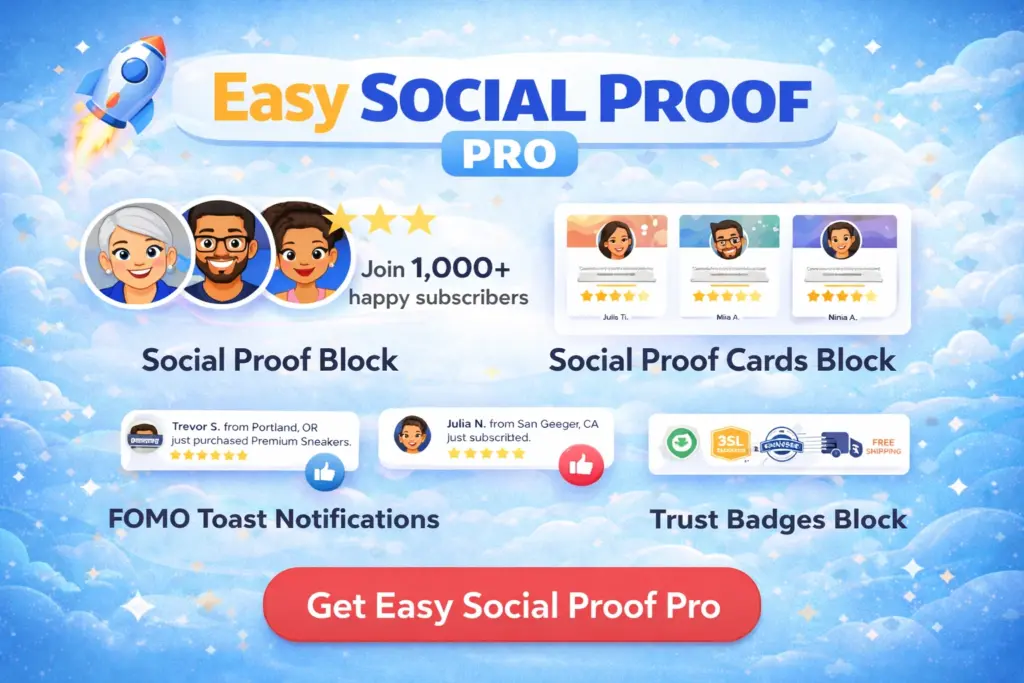
Get our FREE compact Easy Socialal Proof Lite WordPress plugin designed using the latest research
Why Course Buyers Need More Convincing
The online course market is saturated. Visitors comparing courses have likely been burned before — paid for a course that was shallow, outdated, or not what they expected. This creates a trust deficit that every course creator has to overcome.
Course buyers are specifically worried about:
- Quality: “Is this actually good, or is it just well-marketed fluff?”
- Relevance: “Will this teach me what I specifically need, or is it too basic/advanced?”
- Completion: “Will I actually finish this, or will it sit unused like the last three courses I bought?”
- Results: “Have other students actually achieved the outcome this course promises?”
Social proof addresses all four — but only if you choose the right elements and place them at the right points on your sales page.
The Social Proof Stack for Course Sales Pages
Trust Widget in the Hero Section
Your course sales page hero should include a trust widget showing student count and rating:
- “Join 3,000+ students” — the volume metric
- “Trusted by learners in 40+ countries” — geographic reach adds credibility
- “Rated 4.8 by 500+ students” — combining count with rating
For course creators, student count is king. It directly addresses the quality concern — if 3,000 people enrolled, the course is probably not rubbish. If the rating is strong alongside that number, even better.
Star rating: Display your actual course rating. If you use a platform that collects ratings (Teachable, Thinkific, your own system), show that number. Course buyers are accustomed to checking ratings — a visible 4.7 or 4.8 feels familiar and trustworthy.
Review Cards: Student Results, Not Just Praise
This is where course creators often go wrong. They fill their testimonial section with quotes like “Great course!” and “Really enjoyed it!” These are worthless on a sales page.
Effective course review cards show transformation:
- “I went from zero coding knowledge to building my first app in 6 weeks”
- “Landed three freelance clients within a month of completing the course”
- “Passed the PMP certification on my first attempt after taking this course”
Each card should answer: “What could I achieve if I take this course?”
Place review cards in two locations:
- After the curriculum section. The visitor has just read what the course covers. Now they want to know: did it work? Review cards here bridge the gap between “this looks comprehensive” and “this actually delivers.”
- Above the final CTA / buy button. The visitor is weighing the purchase. Specific student results at this point address the last hesitation.
Choose reviews from students who represent your target audience. If you teach a beginner course, show testimonials from people who started as beginners. If you teach advanced skills, show results from people who already had a foundation.
Trust Badges Near the Buy Button
Course purchases are often impulse decisions that can be derailed by last-second doubt. Trust badges near the buy button address the practical concerns:
- Money Back / 30-DAY GUARANTEE — the most important badge for courses. It reverses the risk completely. The buyer knows that if the course is not what they expected, they are not stuck.
- SSL Encrypted / DATA PROTECTION — reassures visitors that their payment information is secure.
If you offer a guarantee (and you should), making it visually prominent with a badge is more effective than burying it in small print.
Toast Popups: The Enrolment Stream
For courses with active enrolment, toast popups showing “{name} just enrolled” create powerful social proof. They communicate that people are buying this course right now — not that it was popular two years ago.
Particularly effective during launches: If you run cohort-based courses or limited-time enrolment windows, popups showing real-time enrolments during the open period create genuine urgency backed by real data.
For evergreen courses: Popups work if you have steady daily enrolments. If you sell a few courses per week rather than per day, use longer pause intervals or skip popups in favour of the static elements.
Building Course Social Proof From Scratch
Your First 10 Students
Before you have a large student body, focus on getting detailed testimonials from your earliest students. Offer the course at a discount to your first cohort in exchange for honest, detailed feedback. Frame the request specifically:
- “Where were you before taking the course?”
- “What specific result did you achieve?”
- “What would you tell someone considering it?”
These structured responses give you review card content that is far more useful than “5 stars, great course.”
Growing From 10 to 100
Update your trust widget numbers as your student count grows. “Join 47 students” is fine at this stage — a specific, honest number. Do not wait until you hit a round number to display social proof. “Trusted by 47 students with a 4.9 rating” is more credible than no social proof at all.
Add new review cards as testimonials come in, rotating in the strongest ones. By the time you reach 100 students, you should have enough testimonials to choose the most compelling ones for each position on your sales page.
100+ Students
At this point, your student count becomes a strong trust signal on its own. Shift your trust text to emphasise the number: “Join 500+ students” or “Rated 4.8 by 200+ learners.” The specific student testimonials on review cards supplement this — they are the detailed evidence behind the big number.
For more on building social proof from zero, read How to Get Social Proof When You Have No Customers Yet.
Course Sales Page Placement Map
Hero section: Trust widget — “Join 3,000+ students” with avatars and 4.8-star rating After curriculum/modules section: Review cards (3-4 student transformation stories) Pricing section: Trust badges (Money Back + SSL) below the buy button Above final CTA: One or two additional review cards as final reassurance Optional: Toast popups showing live enrolments (during launch periods or for high-volume courses)
Mistakes Course Creators Make
Showing only praise, not results. “Amazing course!” tells a prospective buyer nothing useful. Every testimonial on your sales page should include a specific outcome or transformation.
Hiding the guarantee. If you offer a money-back guarantee, it should be a visual trust badge near the buy button — not a line of text in your FAQ section that most people never scroll to.
Social proof only on the sales page. If you have a blog, podcast, or YouTube channel driving traffic, those visitors encounter your brand before they ever see the sales page. A trust widget on your blog sidebar or homepage starts building trust from the first touchpoint.
Using student count from a different course. If you have 5,000 students across all your courses but this specific course has 200, use 200 on this course’s sales page. Misleading aggregate numbers erode trust if buyers discover the discrepancy.
Ignoring post-purchase social proof. The learning dashboard and course content area benefit from social proof too — student count and community activity inside the course reduce buyer’s remorse and increase completion rates. But that is a topic for another day.