


Restaurant websites have a simple job: convince someone to visit, book a table, or place an order. The decision is emotional — people choose restaurants based on how they feel about the place, not a rational feature comparison. Social proof taps directly into that emotional decision by showing that other people chose this restaurant and enjoyed it.
This guide covers which social proof elements work for restaurant websites, where to place them, and how to leverage the reviews you already have.
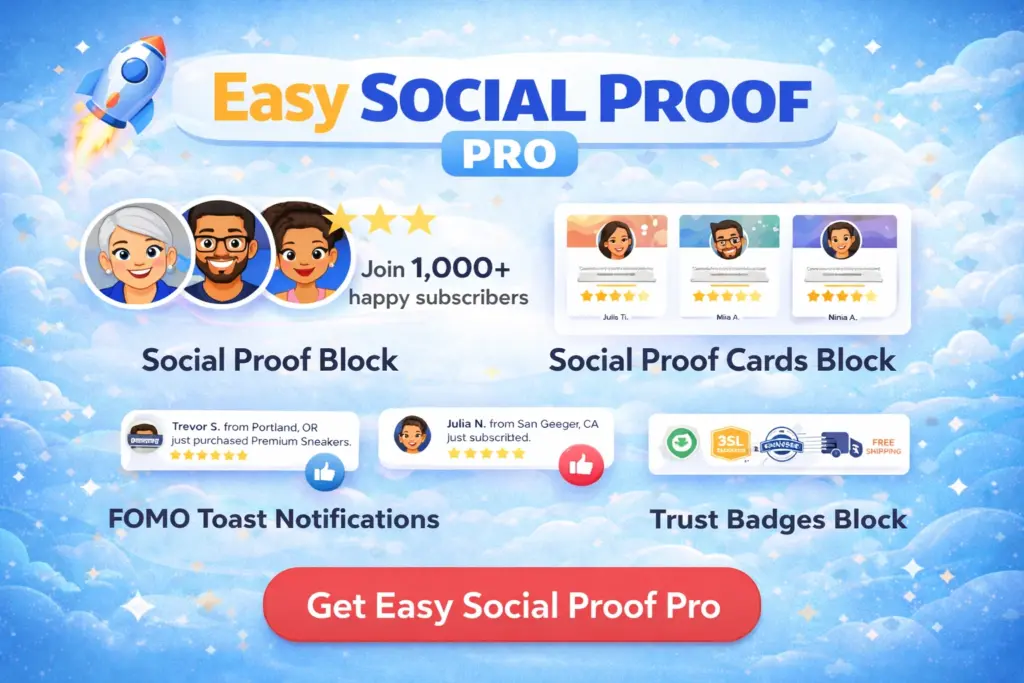
Get our FREE compact Easy Socialal Proof Lite WordPress plugin designed using the latest research
Why Restaurants Need Website Social Proof
Most restaurant discovery happens on third-party platforms — Google, TripAdvisor, Yelp, Uber Eats. But when someone finds your restaurant through a recommendation, a social media post, or a Google search, they often click through to your actual website before deciding.
Your website is where they answer three questions:
- “Is this place any good?” — quality and reputation
- “Is it right for what I need?” — occasion, atmosphere, dietary options
- “Should I book now or keep looking?” — the commitment moment
Social proof on your website shortens the journey from “curious” to “booked.” Without it, visitors bounce back to Google to check reviews on other platforms — and some of them never come back.
The Social Proof Elements That Work for Restaurants
Trust Widget: Your Rating Front and Centre
A trust widget in the hero section of your restaurant website puts your best number forward immediately. For restaurants, the star rating is the most powerful element — diners are conditioned to check ratings before eating anywhere.
Trust text options:
- “Rated 4.8 by 500+ diners” — direct and effective
- “Loved by 1,200+ guests” — warmer tone that suits hospitality
- “Manchester’s top-rated Italian — 4.7 stars from 800+ reviews” — location + cuisine + social proof in one line
Where does the rating come from? Use your actual average from Google, TripAdvisor, or whichever platform has your most reviews. If your Google rating is 4.6 based on 300 reviews, display 4.6 from 300 reviews. Do not cherry-pick the platform with the highest score — visitors will check, and a discrepancy damages trust.
Avatars: For restaurants, avatars are less critical than for other businesses. Diners do not expect to see faces of other customers on a restaurant website. You can use them (they still add visual warmth), but the star rating and review count carry most of the weight.
Review Cards: Let Your Diners Sell for You
Three or four review cards on your homepage or menu page do more persuading than any description you write about your own food. A customer saying “best carbonara I’ve had outside Italy” is more convincing than your chef saying the same thing.
Choosing restaurant reviews for cards:
- Mention specific dishes: “The lamb shank was incredible” gives visitors something to order. Generic “great food” does not.
- Mention the occasion: “Perfect for our anniversary dinner” or “Great for a casual Friday lunch” helps visitors match the restaurant to their need.
- Mention the experience: “Service was attentive without being intrusive” addresses hospitality concerns, not just food quality.
- Be recent: Restaurant quality changes. A review from last month is more relevant than one from three years ago. Rotate in fresh reviews regularly.
Placement: On the homepage below the hero section, and on the menu page where visitors are actively deciding what to eat (and whether to eat here at all).
Trust Badges: Limited Use
The standard trust badges (SSL, Money Back, Verified Seller) are less relevant for restaurants than for eCommerce or SaaS. However, if your restaurant website includes online ordering or table booking with payment, SSL Encrypted badges near the payment form are appropriate.
More impactful for restaurants are industry-specific credentials displayed in a similar visual format:
- Food hygiene rating
- Awards or recognitions
- Dietary certifications (vegan-friendly, gluten-free options)
While Easy Social Proof’s pre-built badges are designed for eCommerce, the visual principle applies: small, recognisable trust signals near the point of commitment.
Toast Popups: Bookings and Orders
If your restaurant website takes online orders or reservations through WooCommerce, toast popups showing real activity can be effective:
- “{name} just booked a table for Saturday” — during peak booking times
- “{name} just ordered the tasting menu” — for online ordering
When this works: Busy restaurants with frequent online bookings or orders. The popups reflect genuine demand and create a sense of “I should book before it fills up.”
When to skip: Fine dining restaurants where exclusivity matters more than volume. A popup every few seconds on a high-end restaurant site feels at odds with the brand. Quiet restaurants where popup frequency would be too low to look natural.
Leveraging Reviews You Already Have
Restaurants typically have more reviews than almost any other business type. Hundreds of Google reviews, TripAdvisor feedback, and delivery platform ratings provide a deep pool to draw from.
Aggregating Your Rating
Pick the platform where you have the most reviews and the strongest rating. Display that in your trust widget. If you have 300 Google reviews at 4.6 and 50 TripAdvisor reviews at 4.8, use the Google number — the volume makes it more credible.
Selecting Reviews for Cards
Go through your recent reviews and pick the ones that:
- Mention specific dishes (gives visitors something to look forward to)
- Describe the atmosphere (helps visitors picture themselves there)
- Represent different occasions (date night, family meal, business lunch)
- Are from the last few months (freshness matters for restaurants)
Keeping It Current
Restaurant social proof needs more frequent updates than most other businesses. A SaaS company can display the same testimonials for a year. A restaurant showing reviews that mention a seasonal menu from last spring looks stale.
Refresh your review cards quarterly at minimum. Update your trust widget numbers whenever your review count crosses a milestone.
Restaurant Website Placement Map
Homepage hero: Trust widget — “Rated 4.7 by 800+ diners” with a strong star rating Below hero / above menu highlights: Review cards (3-4 recent reviews mentioning specific dishes and experiences) Menu page: One or two review cards mentioning popular dishes Booking/reservation page: Trust widget repeated. If taking payment, SSL badge near the form. Online ordering page: Toast popups if order volume supports it. SSL badge near checkout.
Common Mistakes
Ignoring your own website in favour of platforms. Google and TripAdvisor bring discovery, but your website is where you control the narrative. Social proof on your own site reinforces the impression visitors got from platform reviews — and it keeps them on your site rather than bouncing back to a platform where competitors are one click away.
Showing only old reviews. Restaurants change — menus evolve, chefs move on, quality fluctuates. Old reviews create doubt about whether the experience described is still available. Keep your displayed reviews recent.
Not displaying a rating at all. If your rating is strong, hiding it is leaving trust on the table. A visible 4.7-star rating in the hero section does more for bookings than a beautiful photo with no credibility signal.
Using reviews with complaints as “authenticity.” Some advice says to include one negative review to look genuine. For restaurants, this backfires. A review mentioning slow service or a disappointing dish actively discourages bookings. Save the authenticity for your 4-star reviews that are positive but not perfect — “food was fantastic, parking was tricky” is authentic without being damaging.
Social Proof for Freelancers – How to Win Clients Before the First Call
TrustPulse vs NotificationX: Which Social Proof Plugin Is Better?